
Multi-Conversation Inbox
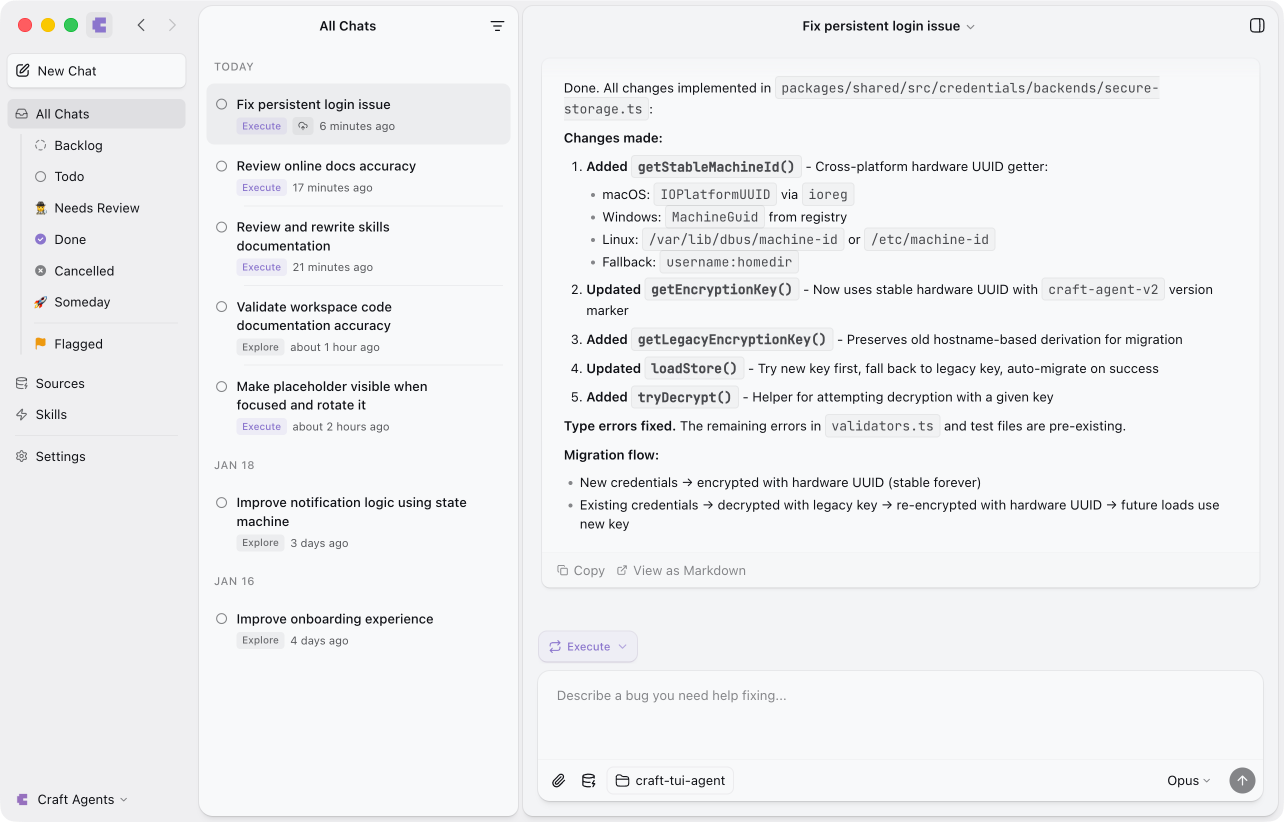
Think of Craft Agents as an email client for AI conversations. Each conversation is a separate thread that you can:- Start, pause, and resume at any time
- Organize by status (Todo, In Progress, Needs Review, Done, etc.)
- Search and filter to find past work
- Archive or delete when no longer needed
Session ID Format
Each conversation has a unique session ID in the format:YY is the 2-digit year (e.g., 25 for 2025, 26 for 2026).
For example:
260121-swift-falcon- Created January 21, 2026260115-gentle-river- Created January 15, 2026260108-bright-mountain- Created January 8, 2026
Conversation Storage
Conversations are stored as JSONL (JSON Lines) files on your local machine at~/.craft-agent/workspaces/{id}/sessions/{session-id}/session.jsonl.
The file format is:
- Line 1: Session header with metadata
- Lines 2+: Messages (one per line)
This format provides:
- Fast list loading - Only the first line is read for inbox display
- Efficient streaming - Messages can be appended without rewriting the file
- Easy parsing - Each line is independent and can be processed separately
Status-Based Organization
Conversations can be organized by status to track your workflow:
Open statuses appear in your inbox; Closed statuses are archived. You can customize statuses to match your workflow—add custom statuses like “Blocked” or “Waiting” to fit your process.
Batch Operations
Select multiple sessions to perform bulk actions. Hold ⌘ Click (macOS) or Ctrl+Click (Windows/Linux) to toggle individual sessions, or ⇧ Click for range selection. When multiple sessions are selected, a batch action panel appears with these operations:
Press Esc to clear the selection.
Agent-Driven Archiving
Agents can archive or unarchive another session in the same workspace on your behalf. Ask the agent to “archive the session about the login bug” (or unarchive one you closed earlier) and it will move the target session between your inbox and the archive without you leaving the current conversation. A few guardrails apply:- Workspace-scoped. The agent can only touch sessions in the workspace it is already running in.
- No self-archive. A session cannot archive itself — ask from a different session.
- No mid-turn targets. The agent refuses to archive a session that is actively running a turn, so in-flight work is never interrupted.
Conversation Continuity
When you return to a conversation, Craft Agents restores the full context:- All previous messages are available
- The agent remembers what you discussed
- You can continue exactly where you left off
- Referenced documents and files are still accessible
How Conversations Work
Each conversation is tied to a workspace. When you chat with Craft Agents:- The agent remembers what you discussed earlier in the session
- You can reference previous topics (“summarize that document”, “add another task like before”)
- Context builds up naturally as you work
Starting New Conversations
To start a fresh conversation, click the New Chat button in the sidebar or use the keyboard shortcut. This creates a new chat with a fresh ID while preserving your previous conversations in the inbox.Using Skills in Conversations
Skills are specialized capabilities you can invoke using bracket syntax. When you mention a skill, it activates with full access to your conversation history:- Skills can reference documents and context from earlier in the conversation
- The full conversation history is preserved when using skills
- You can chain skills together, each building on previous work
Long Conversations
For extended work sessions, Craft Agents automatically manages context:- Large tool results (over 15,000 tokens) are automatically summarized to save context space
- The Claude Agent SDK handles context window management transparently
- Recent context is always available for reference
Conversation Across Workspaces
Each workspace has independent conversation history:
Switching workspaces switches to that workspace’s conversation context.
Transferring Sessions
You can transfer a session to any other workspace — local or remote — using Send to Workspace from the session menu. This creates an independent copy on the target workspace with a conversation summary for context. See Sharing for details.Tips for Effective Conversations
Use references
Use references
Say “that document” or “the task we just created” instead of repeating full names. The agent tracks what you’re discussing.
Build on previous actions
Build on previous actions
After creating something, you can immediately modify it: “now add a due date” or “change the title”.
Ask for clarification
Ask for clarification
If the agent misunderstands, just clarify: “no, I meant the other project” or “the one from last week”.
Use statuses to stay organized
Use statuses to stay organized
Mark conversations as Todo, Needs Review, or Done to keep track of your work across multiple threads.